

Salespeople usually have the question while they are already looking at the record. Pipeline status, a customer order, account risks, and the next best action do not need to start in a separate app.
This demo shows a Copilot Studio agent embedded in the Salesforce Sales Console. The agent answers questions against several connected sources, then returns the result in the same Salesforce page.
Watch the demo
This video shows a Copilot Studio agent embedded in Salesforce, using pipeline, work, ERP, and account context to answer questions in the flow of sales work.
Ask sales questions without leaving Salesforce
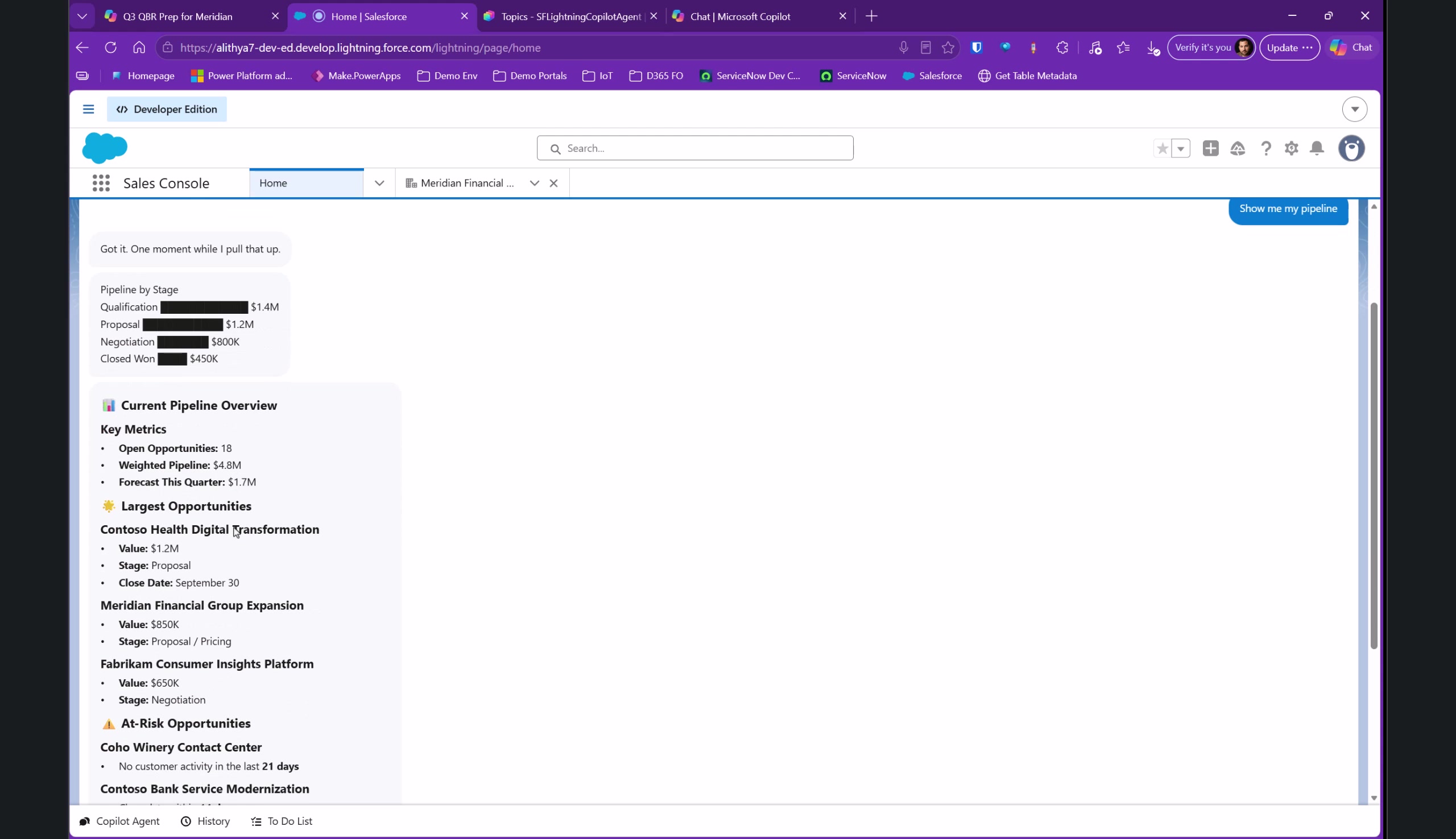
The first prompt is simple: “Show me my pipeline.” The agent returns pipeline stages, current metrics, named opportunities, and recommended actions in the embedded panel.
The interaction matters because it stays in the Sales Console. A seller does not have to open another application, find a report, and translate the result back into the account or opportunity they were working on.
The demo uses a Salesforce MCP server for sales information. The specific connector and permission model will depend on the implementation, so this is a pattern to design rather than an out-of-the-box promise.
Ground recommendations in work context
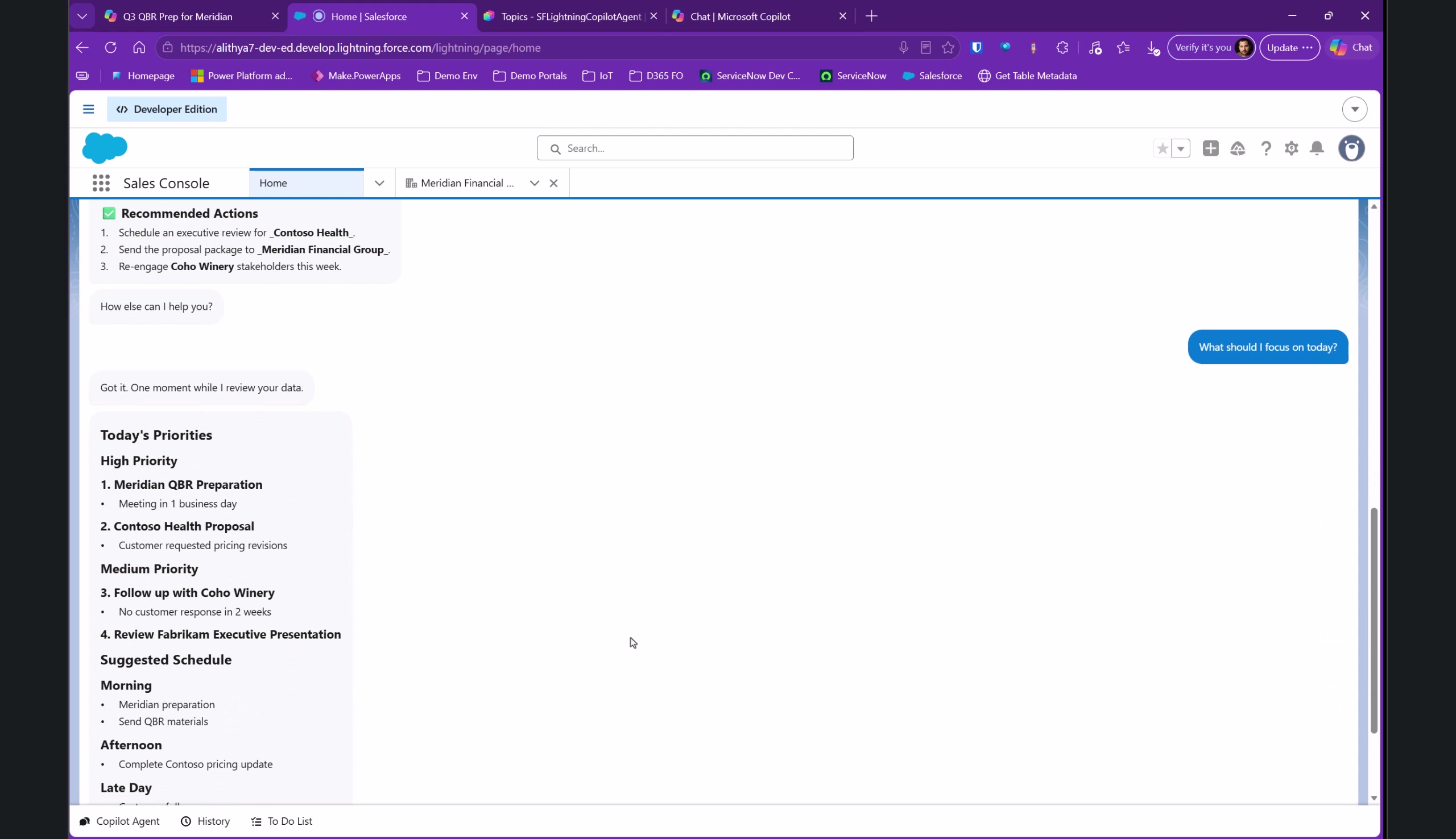
The demo also asks, “What should I focus on today?” The response brings back high- and medium-priority work plus a suggested schedule. In the recording, the agent is connected to Work IQ, calendar, and email context.
Microsoft describes Work IQ as a way to ground Copilot Studio agents in shared organizational context, including Microsoft 365 signals such as email and calendar. It is currently a preview feature, so confirm its availability, licensing, and governance requirements before planning a production deployment. Read the Microsoft Learn documentation for Work IQ.
Bring ERP answers into the same conversation
The video includes an order-status request. After the user provides an order number, the agent checks the ERP system and reports that the order shipped.
That is a useful example because it keeps the conversational experience where the seller is already working. It also makes the integration boundary clear: the agent needs an approved path to the ERP data and an appropriate authorization model. The demo does not show that configuration.
Carry record context into the conversation
The second half of the video moves to a Salesforce account record. The agent is still embedded, but it now receives the context of the account currently open on the page.
From there, the demo asks about account risks, possible growth areas, and an account health score. The account-risk response is described in the narration as coming from a data warehouse.
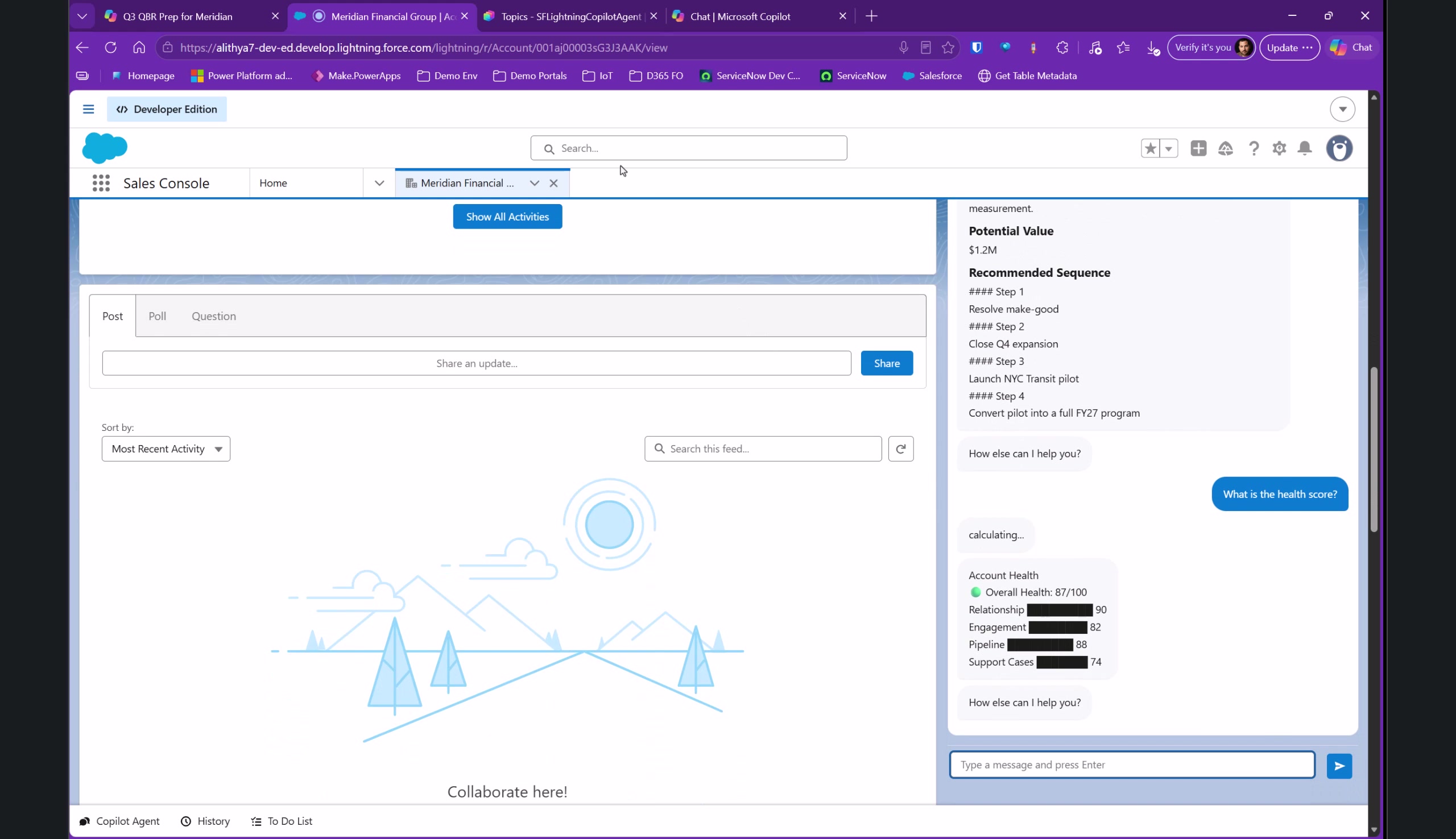
This is the implementation detail I would focus on first. A general agent can answer general questions. An agent that receives the active record context can start from the account, opportunity, or case the seller is already viewing.
Design questions to answer before building
Before embedding an agent in Salesforce, define the questions the team should be able to ask and where each answer should come from.
- Which Salesforce records and fields can the agent use?
- Which external systems, such as ERP or a data warehouse, are in scope?
- What record context should pass from the Lightning page to the agent?
- What should the agent do when it cannot find an answer?
- Which responses are read-only, and which actions need an explicit user confirmation?
An embedded panel becomes useful when the agent has the right sales and work context, respects access boundaries, and returns information in the flow of work.